Setting up your lounge on PsTally.
From registration to your first open shift — the whole process takes under 30 minutes, and you can do it from your phone. Here’s exactly what to do, screen by screen.
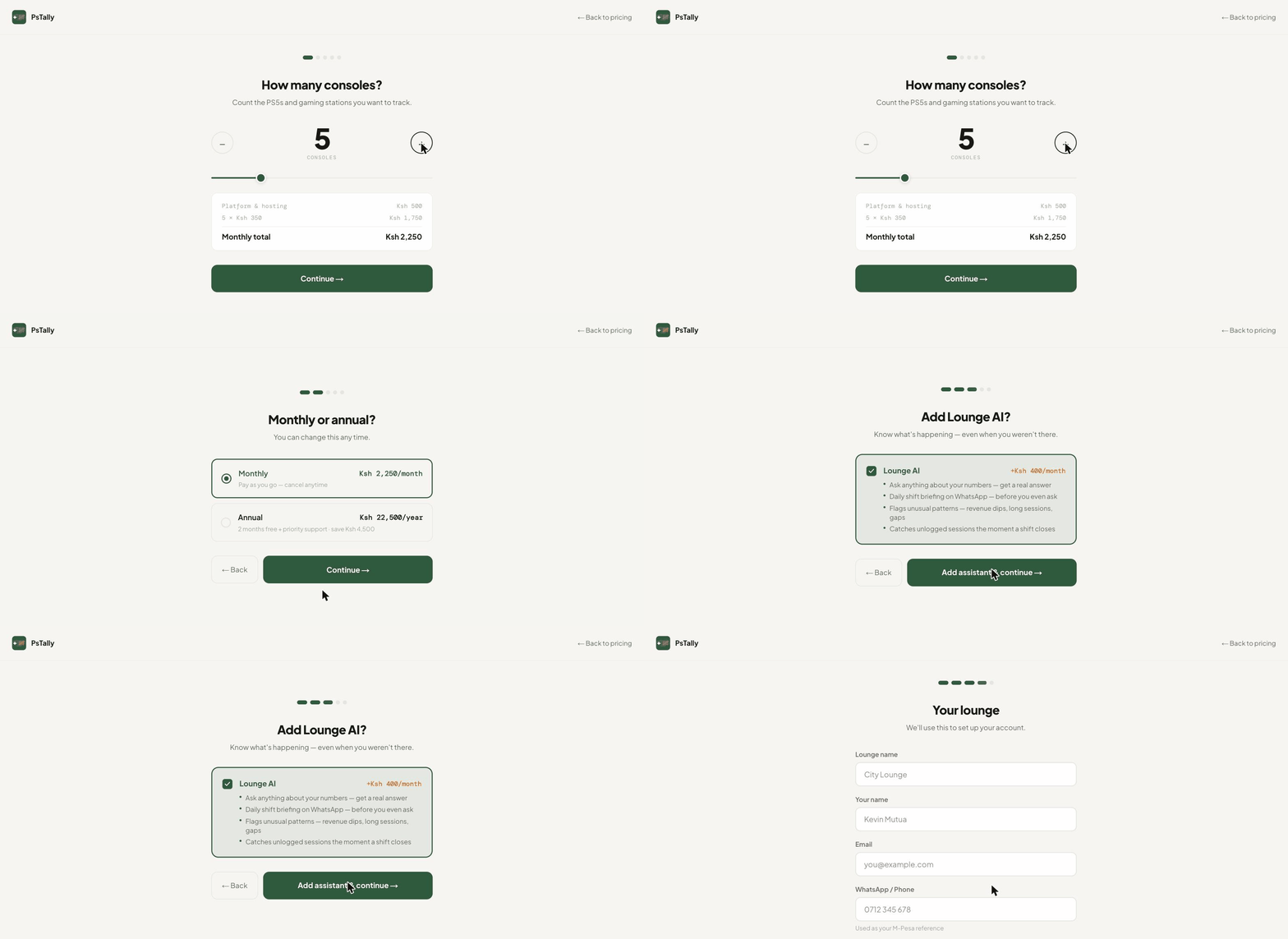
What you’ll need
- ·About an hour, start to first shift
- ·The number of consoles you run
- ·A device for the counter — tablet, phone, or laptop
- ·Your lounge WiFi
- ·Optional: a Windows PC at the lounge, for live monitoring
Create your account
Go to pstally.com/get-started. The setup wizard walks you through it in four short screens: how many consoles you run, whether you want monthly or annual billing, whether to add Lounge AI, and your lounge details — name, your name, email, WhatsApp number, and a password. Your account is created the moment you finish. No approval wait, no sales call, and no card required to start.
Name your bays
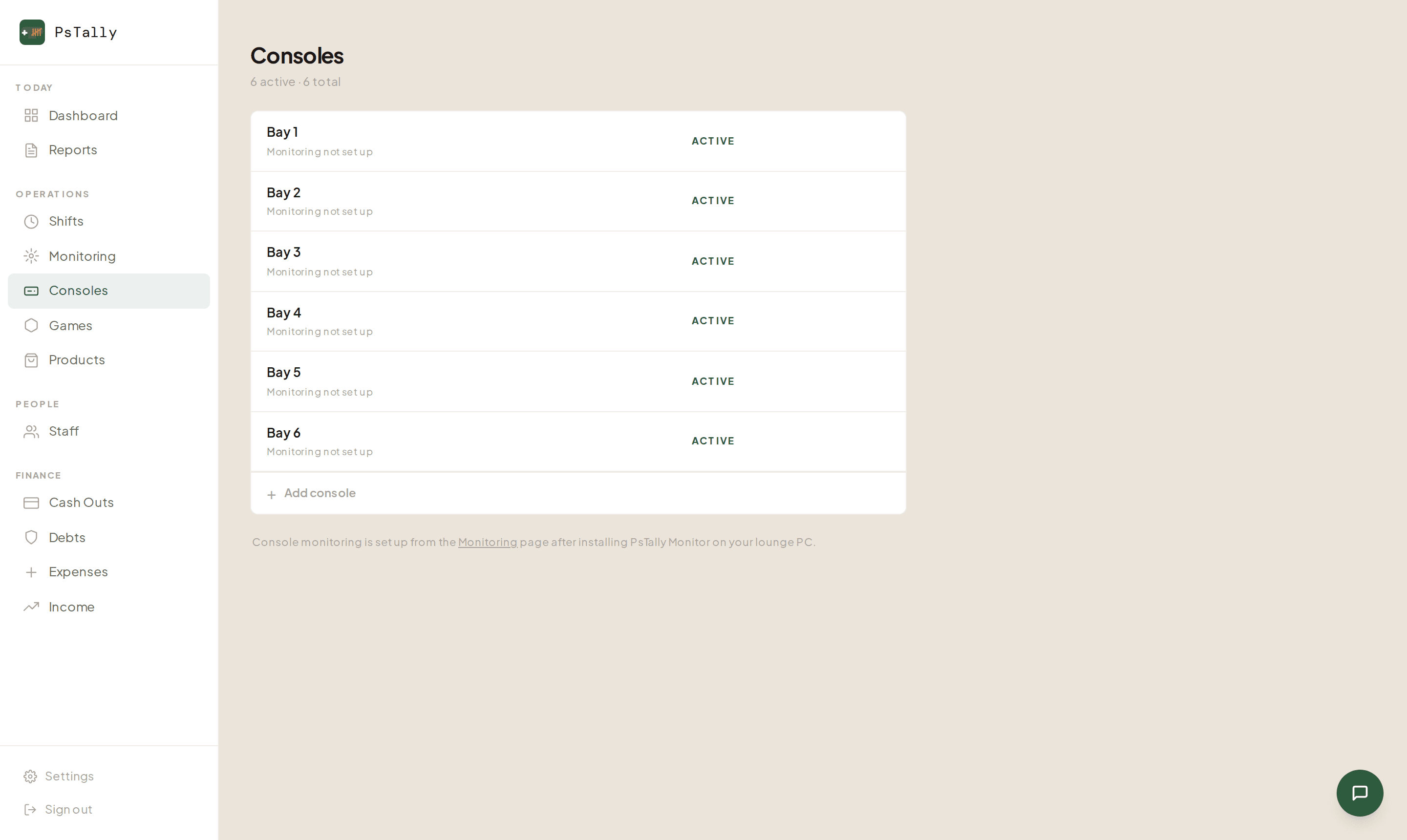
PsTally starts you with Bay 1, Bay 2, and so on — one for each console you entered. Open Consoles in the sidebar to rename them to match your floor: 'PS5 Left', 'Xbox Corner', 'VIP Room'. Clear names make every shift report and the live monitoring screen instantly readable. You can add a new console or retire an old one here any time.
Set your games and prices
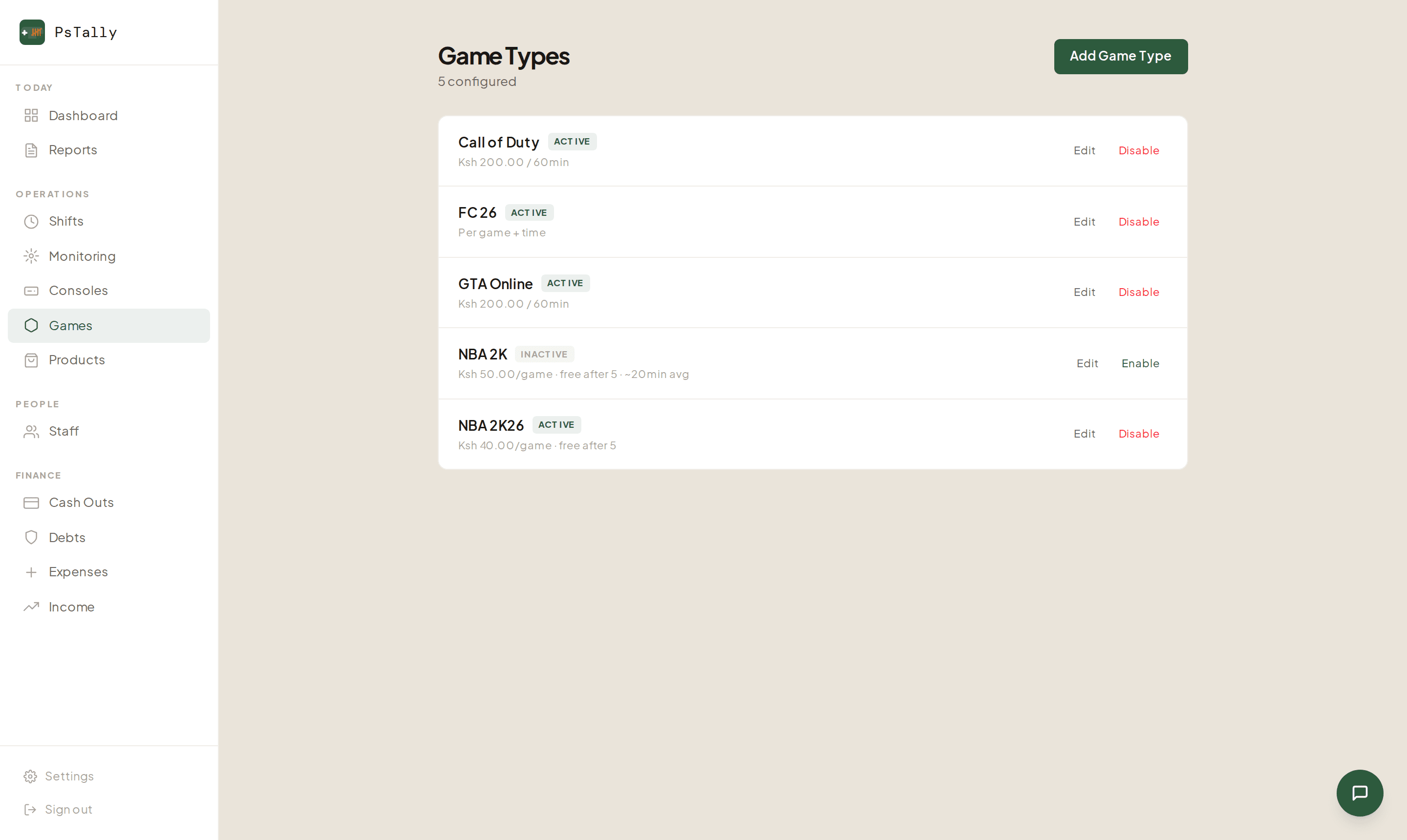
Open Games and add what you charge for. Each game can be priced per hour (say, Ksh 200 / 60 min) or per match, and you can set rules like 'free after 5 games'. PsTally comes pre-loaded with FC 26 and GTA Online so you can start in seconds, then add Call of Duty, NBA 2K, or anything else you run. Disable a game to hide it from staff without losing its history.
Add your staff
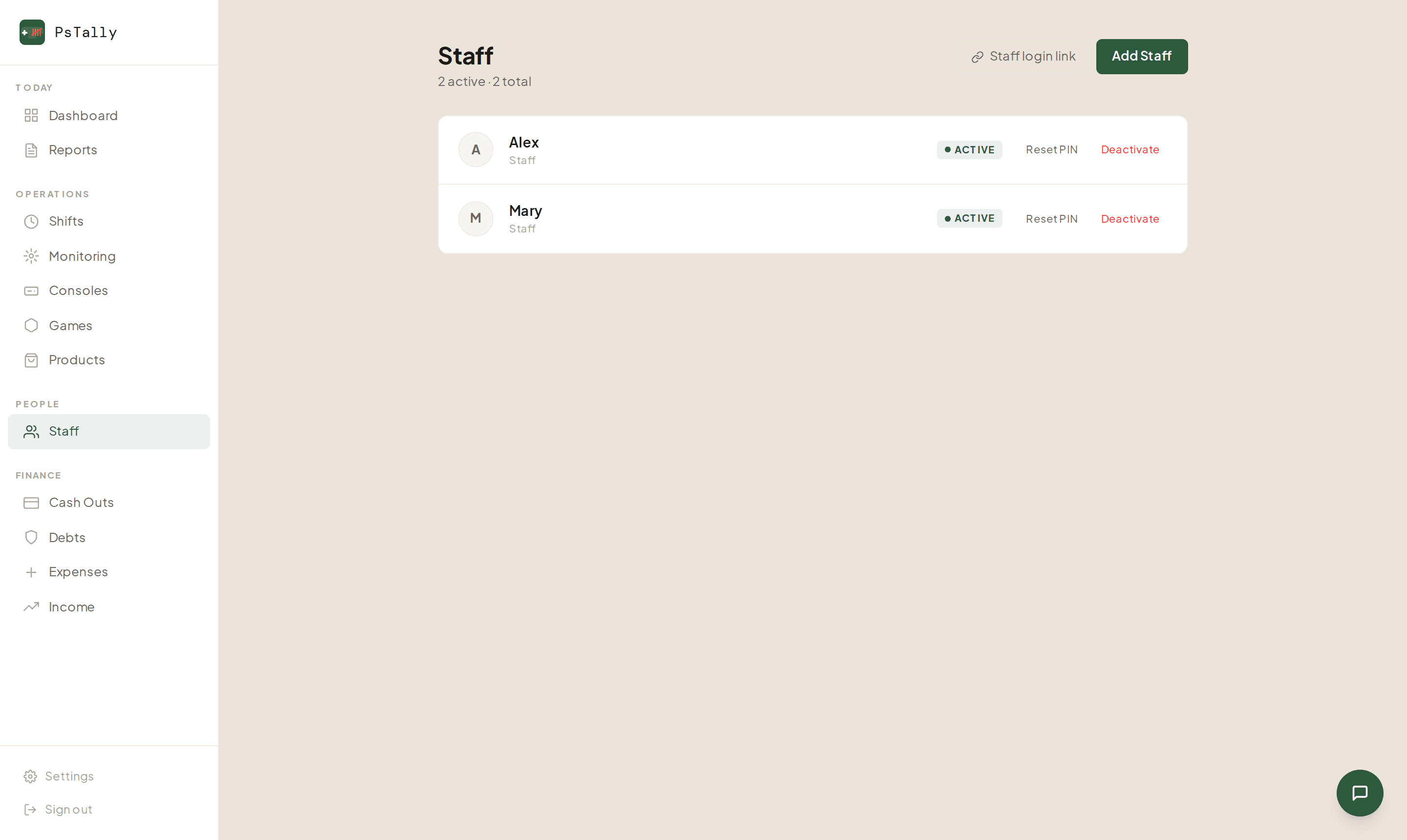
Open Staff and add each person with their name and a 4-digit PIN. That PIN is everything they need — no email, no password, no forgotten logins. Reset a PIN in one tap, or deactivate someone the day they stop working for you. Every session, every shilling collected, is tied to a name.
Open the staff console
On the Staff page, tap 'Staff login link' and share it with your team — or just open it on the device at the counter. A tablet, an old phone, or a laptop all work; PsTally runs in the browser, with nothing to install. Staff enter their PIN, open a shift, and start logging sessions. That's the counter set up.
Turn on console monitoring
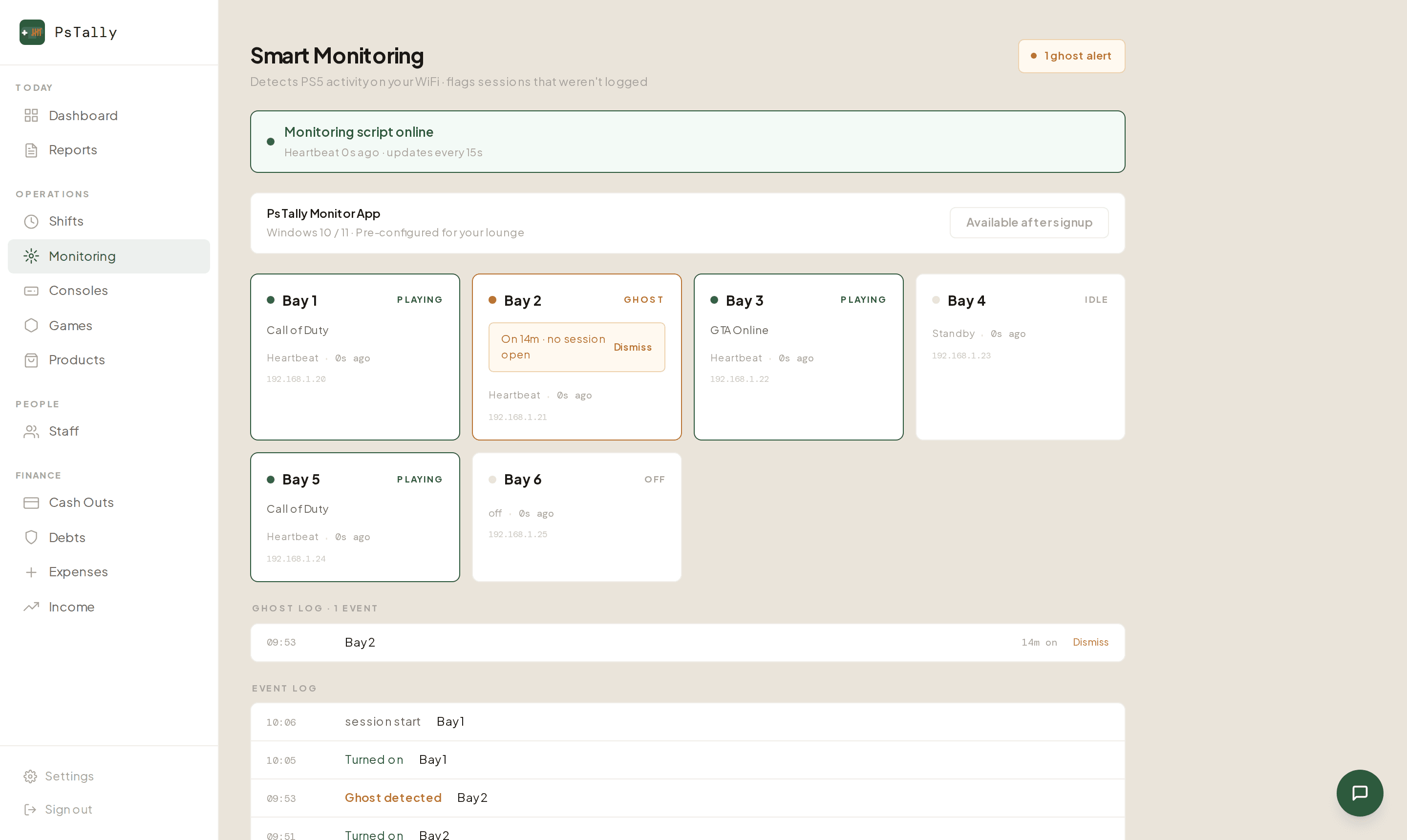
This is the part owners love. Install PsTally Monitor on the lounge PC (Windows 10/11 — it's pre-configured for your lounge and available right after signup). It quietly watches your PS5s over the same WiFi and shows each bay's status — playing, idle, or off — live on your phone, wherever you are. If a console is being played with no session open, you get a 'ghost' alert. It's how you finally see the gap between games played and money collected.
And you’re live.
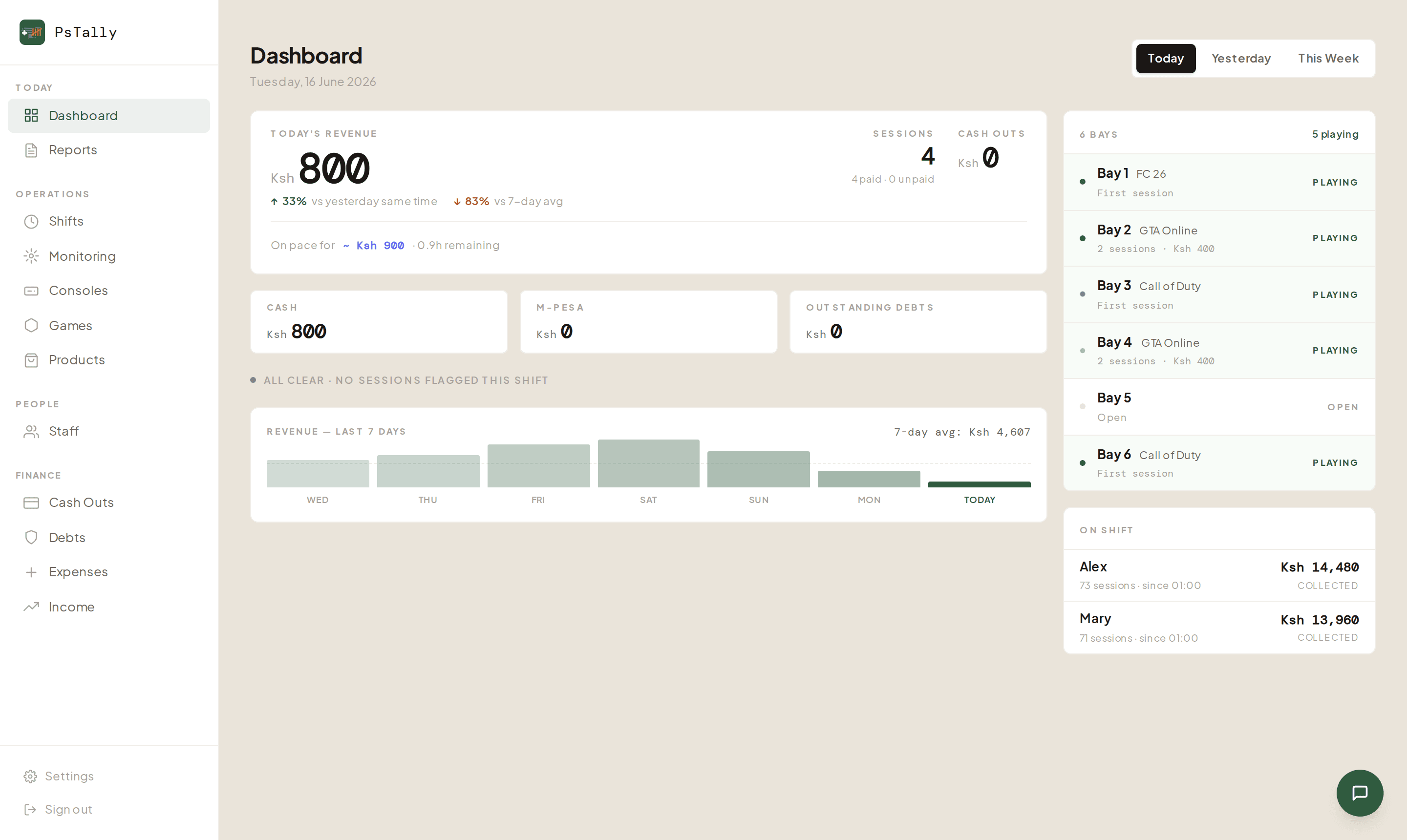
That’s it. The first time a staff member opens a shift, your owner dashboard starts filling in — today’s revenue, every bay’s status, who’s on shift, and how cash and M-Pesa add up. Open it on your phone any time, from anywhere.
Common questions
How long does setup actually take?
Most lounges are live in under 30 minutes. Creating the account takes about two minutes; the rest is naming your bays, setting your prices, and adding staff PINs.
Do I have to pay before I can use it?
No. You start free — set everything up and run real shifts first. Billing is per console and you choose monthly or annual during signup.
Does setup require installing anything on the consoles?
No. PsTally runs in the browser. The optional PsTally Monitor app installs on your lounge PC — not on the consoles — and watches the PS5s over your existing WiFi.
What device do my staff use?
Any device with a browser — a tablet, phone, or old laptop at the counter. Most lounges use a dedicated phone or tablet mounted near the entrance.
Can staff see my revenue?
No. Staff log in with a PIN to the staff console, which only handles shifts and sessions. Revenue, reports, and reconciliation live in the owner dashboard, which staff never see.
Can I change pricing after setup?
Yes. Update prices, add new games, or disable games any time from the Games section. Changes apply to new sessions and never touch past records.
What if I have more than 20 consoles?
Message us on WhatsApp — higher console counts are supported for larger lounges.
Keep going
Ready to set up your lounge?
First month free. No setup fee. Live in under 30 minutes.
Launch your lounge →